LuckyPays Mobile App: Your Casino in Your Pocket

Welcome Bonus – 100% deposit match up to £650 and 77 Free Spins

Download the Lucky Pays Mobile App & Play Today

LuckyPays Casino app

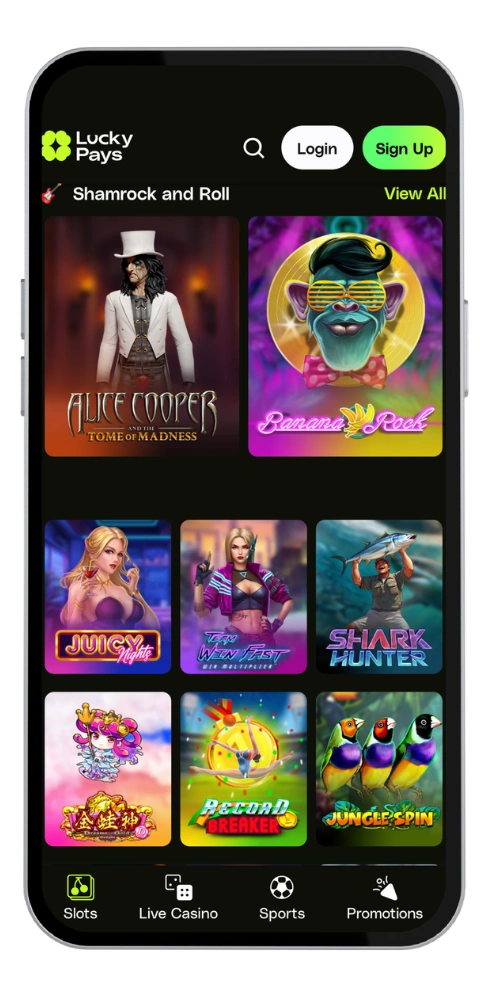
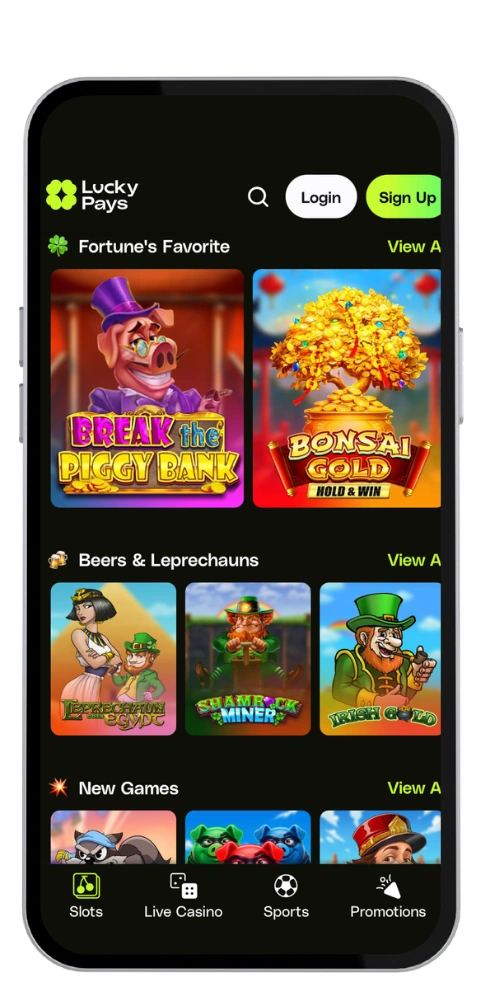
The LuckyPays app lets you enjoy a full mobile application with over 1,000 games right from your Android or Apple device. We designed our mobile app to load quickly, run without lag, and install in minutes. The LuckyPays casino website works perfectly on macOS and Android, so why not take it further and play smoothly on your phone as well? If you’re after a true mobile casino experience with no desktop required, this is it.

LuckyPays App Download Guide

The LuckyPays download takes no more than three or four minutes from start to finish. We keep the process straightforward so you can get playing without any unnecessary hassle. Pick your device below and follow the steps.

How to Install the App on Android

The LuckyPays Android app isn’t on Google Play, so you’ll need to grab it directly from our official website. The current version of the APK file is 42MB, installs in under two minutes, and works on most devices running Android 6.0 or higher. We also support Windows-based emulators for those who prefer playing on a larger screen.

  1. Visit the official LuckyPays Casino website on your Android device
  2. Tap the APK download link in the app section
  3. Enable “Install from unknown sources” in your security settings
  4. Install the APK file and start playing straight away
LuckyPays Casino apk

LuckyPays Casino App for Your iOS Device

Our LuckyPays iOS app is available in the App Store. You’ll need iOS 12.0 or higher to run it. The download is free, weighs in at around 42MB, and the installation process is quick and straightforward if you’re used to Apple devices. The app is fully optimized for all supported screen sizes to ensure smooth gameplay.

  1. Open the App Store on your iPhone or iPad
  2. Search for “LuckyPays Casino”
  3. Press the “Get” button and confirm the installation
  4. Launch the app and start enjoying the full casino experience
LuckyPays Casino mobile
App Welcome Bonus

Log in through the LuckyPays mobile app and you’ll earn a 100% deposit match up to £650 and 77 Free Spins.

LuckyPays Casino application
CategoryDetails
Operating SystemsAndroid, Web, macOS
Application CategoryOnline Casino, Sports Betting
CurrenciesEUR, CAD, AUD, NOK, NZD, BTC and other cryptos
Deposit MethodsVISA, Mastercard, Bitcoin, Litecoin, Ethereum, Ripple, Tether, other cryptos, Online bank transfer, Bitpace
Withdrawal MethodsVISA, Mastercard, Bitcoin, Litecoin, Ethereum, Ripple, Tether, other cryptos, Online bank transfer, Bitpace
Automatic LoginUnavailable
App Size42MB

FAQ

Is the LuckyPays app free to download and install?

Yes. Downloading the mobile app on your Android or iOS device costs nothing at all. There are no deposit fees either, so every penny you put in goes straight to your account balance.

Which games are available on the LuckyPays mobile platform?

We carry well over 1,000 titles on the mobile app, including slots, roulette, live casino, blackjack, baccarat, video poker, crash games, and sports betting. Games come from Play’n GO, Hacksaw Gaming, Pragmatic Play, and many other top developers.

How quick are withdrawals through the LuckyPays mobile app?

Deposits are credited instantly. Our withdrawal limits are £3,350 per day, £8,400 per week, and £16,700 per month. Crypto cashouts tend to be the fastest option if you need your funds quickly. All transactions are processed through a secure payment system to protect your details.

How do I contact customer support through the mobile app?

You can reach us via live chat directly in the app or by emailing [email protected]. Live chat is the quickest route if you need an urgent answer while playing. Email is there for more detailed queries or if live chat is busy.

Can I play Lucky Pays without downloading the app?

Absolutely. Our website is fully optimised for mobile browser use on both iOS and Android. Just visit the official website on your device and play without any installation. The site adapts to your screen for smooth navigation.